|
|
|
|
Support - Basic Changes
If you
need additional technical support you can e-mail or call. There is a
$60.00 charge for each incident. If you have an
OSE agreement,
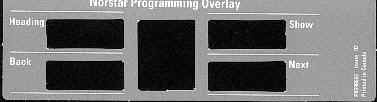
technical support is free! When you program on a 7316 set, the top 4 buttons just below the LCD screen become the buttons for moving through the programming headings and settings. Programming buttons are active or inactive during different stages of Programming. A button becomes active (meaning you can use that option), when the indicator next to it is lit
To change time & date: On your 7316 set press feat **time enter your password admin The hour will display on your LCD screen, to change the hour, press the soft key under change. Enter the time in military hours, then press next. The minutes will display, to change press change, and then next to advance to the year, and so on till you have completed the month and day, then press release.
Changing a Name on a set: On your 7316 set press feat **config enter your password admin The display will show Terminals & Sets, Press show. Enter the extension number of the telephone set you want to change. Press the show button, which will display the word “capabilities”, press next and the display will show name. The soft keys below the name can either clear or change the name. When changing a name press the number button representing the letter you want to add. The # character advances the letters to complete the name. When entering config you can change programming of your system. Please be cautious when programming.
|
|
|
© Norstar Online | Online Marketing and Web Hosting provided by InMotion |
|